

https://i.loli.net/2018/07/17/5b4d5a4825b2f.jpg
如图,沉浸式标题栏,并且标题栏和终端之间也没有 1 像素的白线
https://i.loli.net/2018/07/17/5b4d5a4825b2f.jpg
如图,沉浸式标题栏,并且标题栏和终端之间也没有 1 像素的白线
 |
1
确定这个是 iterm2 吗?
|
 |
2
这个好像是改了标题栏的颜色,具体怎么改我也不会
|
 |
3
感觉并不是 iterm2,而是生成代码效果图的那个 web 工具
|
 |
4
看这个间距应该是 Hyper …
|
 |
5
|
 |
6
我之前搞过,没法弄。
|
 |
viko16Jul 17, 2018
7
Why not Hyper ?
|
 |
8
ubuntu 下能做到这个效果:
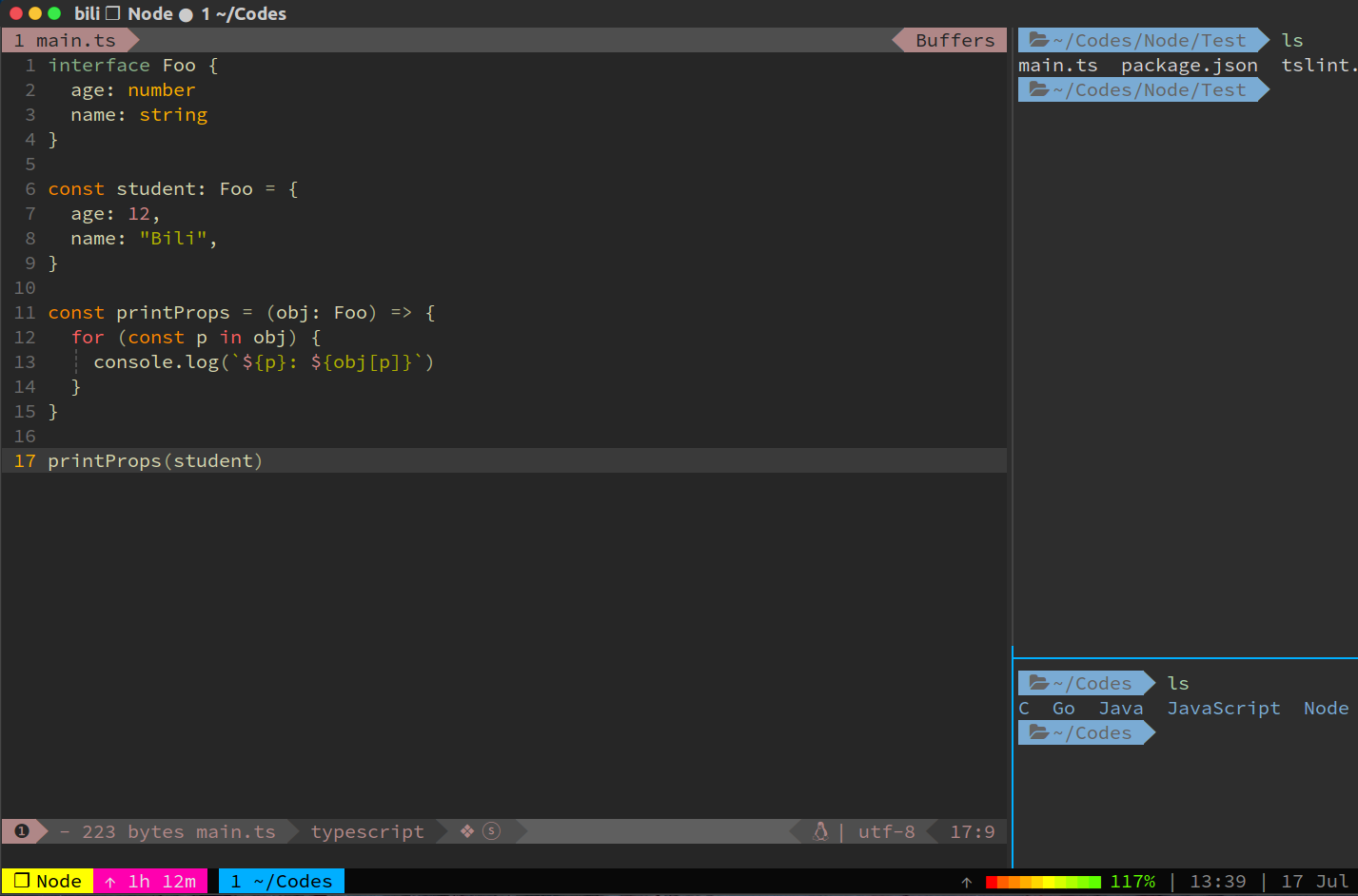 用 Flatabulous 主题 |
 |
9
|
 |
10
https://i.loli.net/2018/07/17/5b4d8466d5330.png 这样么,titlebar 的颜色现在好像调不了,所以只能把背景改成和 titlebar 一样的颜色了
|
 |
11
好像是 Hyper 吧?
|
 |
12
为什么需要 title bar ?
这样多好!  |
|
14
不过你这个图片的三个点和窗口的间距来看并不是 iterm2
|
|
15
@gitopen
图例是 Alacritty,直接 window: decorations: false 就好。 iTerm 的话 Preferences → Profiles → Window → Style 进行选择。 |
 |
17
去掉 1px 的分割线:iTerm2 Preferences > Appearance > Window, 去掉 Show line under title bar when the tab bar is not visible
|
 |
18
 |
|
20
|
|
ChangQinJul 17, 2018
21
@InternetExplorer 你那个是怎么调的啊?
|
|
InternetExplorerJul 17, 2018
22
去掉 tab,去掉「 Show line under title bar when the tab bar is not visible 」,titlebar 在黑色主题下使用黑色,然后调背景颜色和 titlebar 一样(滴管吸一下,微调一下就好)
具体的自己看着调,初始状态不一样很难说 |
|
InternetExplorerJul 17, 2018
23
@ChangQin #21 ^^^^^^^^^^^^^
|
 |
archeanJul 17, 2018
24
折腾了下,发现 tab bar 的颜色跟我 Gruvbox 的配色没办法调整成一致的,后来发现开发者说 iTerm2 3.2 版本前可能无法解决这个问题。
而且在 OS X 下界面效果差强人意,放弃了。 以下是引用( https://gitlab.com/gnachman/iterm2/issues/6324 ): High sierra doesn't give apps control over the title bar color unless they draw the title bar themselves, but doing so breaks background blur. I have another change in the works that will increase drawing performance at the cost of breaking background blur, at which time it will make sense to also fix the title bar issue. |
|
ChangQinJul 17, 2018
25
@InternetExplorer 会了(流汗)~
|
|
ChangQinJul 17, 2018
26
@InternetExplorer 终于搞定,写代码心情也变好了,谢啦~
|
 |
yuukoJul 17, 2018
27
怎么改 title bar 颜色?
|
|
yuukoJul 18, 2018
28
两台 mac
1. 10.13.3 不能改 titlebar 颜色 2. 10.12.4 可以改 titlebar 颜色 |
 |
29
Appearance --> Theme --> Minimal 就可以了
|
 1

 额,那就是我搞错了,不想用 Hyper,太臃肿了,thx

 Select Language
